This tutorial will show how to access the Signage Stick settings app.
- On your remote control, tap the Settings button (the cog icon).
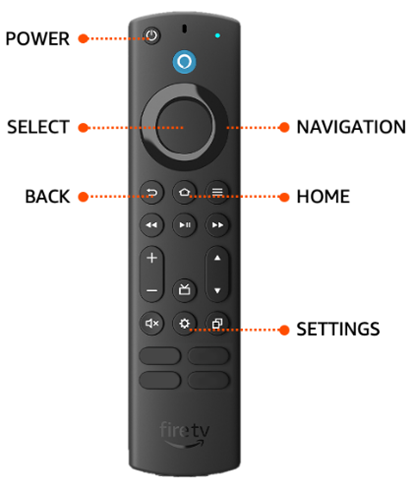
- The Settings menu will open shortly, and OnSign will automatically reopen after a few seconds. This behavior is expected as OnSign always tries to stay active.

- When OnSign reappears, press the Back button (the U-turn icon) and click OK.

Because the Settings menu was opened beforehand, it will be shown on screen and OnSign will no longer relaunch automatically.
After you finish adjusting the settings, exit the menu by pressing Home or the Back button and wait for OnSign to start again.